A website is credible for research when you can identify who wrote it, trace its claims to evidence you can inspect, see when it was last updated, understand what it wants from you, and find the same claim confirmed by independent sources. Design and search ranking tell you almost nothing about any of that.
That sounds like a lot to weigh before you open a second tab. It is not, though, once you break it into six checks you can run in about ten minutes. The awkward part is not the checking; it is stopping long enough to do it before the text starts sounding convincing.
This goes wrong in both directions. A polished nonprofit page with real citations gets dismissed as “a blog,” and a confident article with a clean layout gets cited because it said exactly what the assignment wanted to hear. Judging a source for research starts with doing the checks in the same order every time, so your first impression of the writing is not doing all the work.
Table of Contents
- What You Need
- Step-by-Step: How to Evaluate a Website for Research
- Check the Author and Credentials
- Examine the Evidence and Sources
- Identify the Website’s Purpose and Bias
- Check the Date and Evidence of Updating
- Compare Claims With Other Reliable Sources
- Decide Whether the Website Is Reliable Enough to Use
- Common Mistakes
- Tips for Faster and More Confident Research
- Frequently Asked Questions
- How can I tell if a website is credible for research?
- What should I check before citing a research website?
- Is a website with a professional design more reliable?
- What if a research website does not list an author?
- How do I know whether a source is biased?
- Can I use a website from a search engine as a research source?
- Conclusion
What You Need
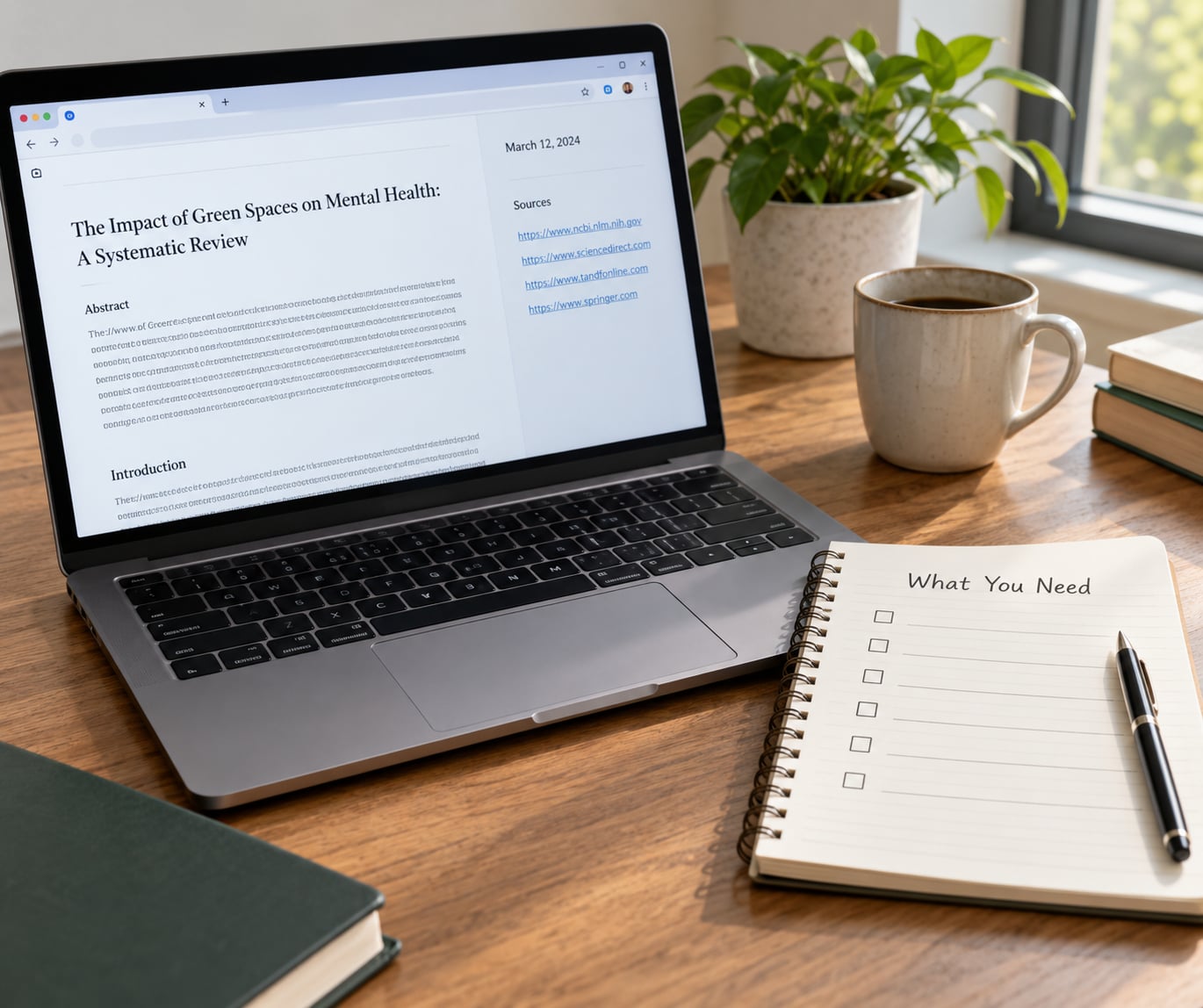
Four things, and none of them cost money or special access.
- Your research question written out. Relevance is a judgment you cannot make without one, and vague questions attract vague sources.
- A browser with a second tab or window open. Half the method happens off the page you are evaluating.
- Access to the full article, not the summary. Search snippets, AI answers, and link previews hide the parts you need to judge: dates, citations, and the byline.
- Somewhere to write notes. A document, a text file, or the margin of your paper. Record the verdict as you go, not afterwards.
Two optional things help. A library database login, if you have one, changes which sources are available to you more than any other habit. And the Wayback Machine, the free archive that shows what a page looked like on a given date, which is how you date a page that refuses to show a date.
Step-by-Step: How to Evaluate a Website for Research
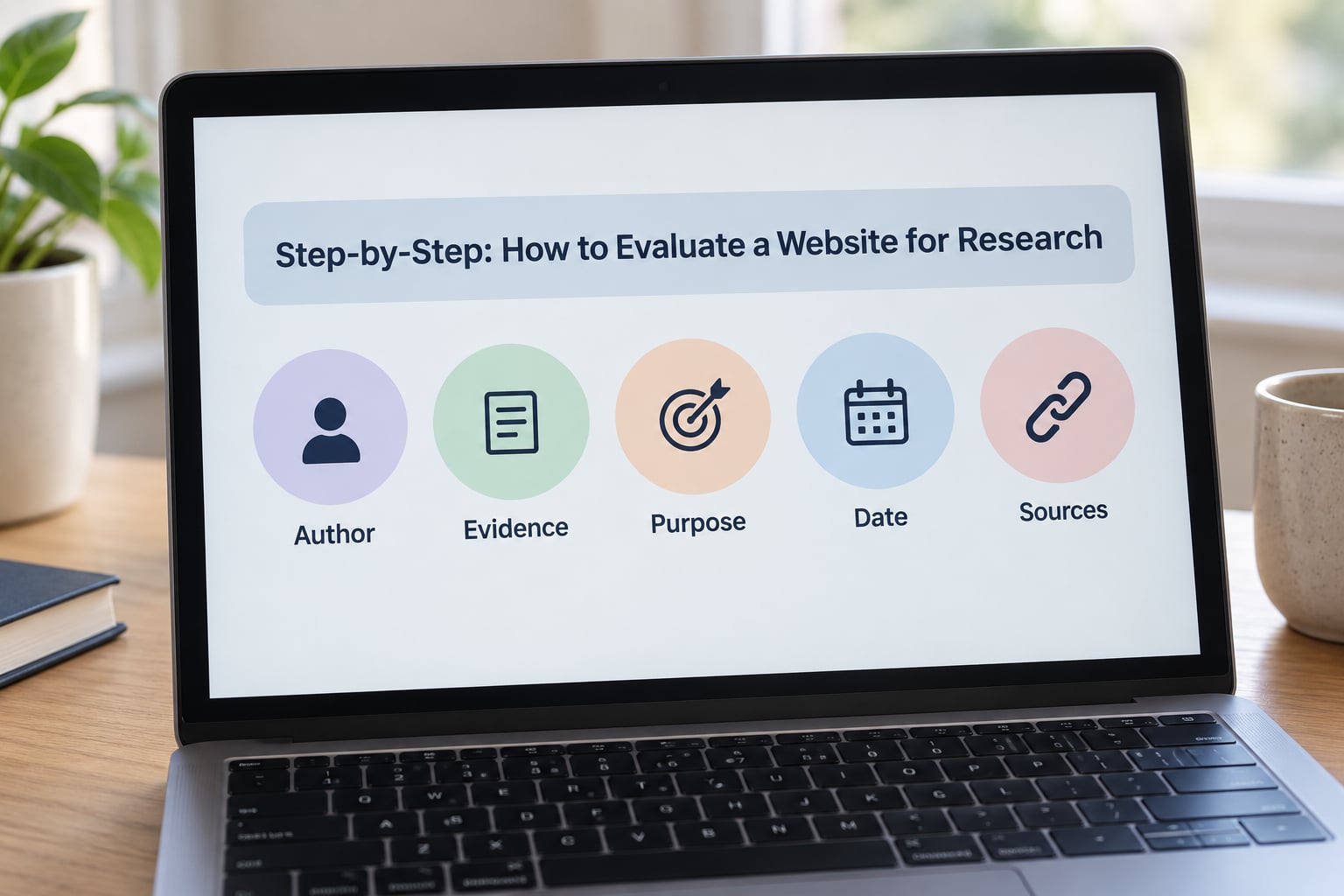
Run these six checks in order. Each one is cheap, and each one catches a different failure, so skipping one leaves a hole that the others do not cover.
Two named frameworks map onto this. The first five checks are essentially the CRAAP Test, developed by Sarah Blakeslee and taught through CSU Chico’s Meriam Library: Currency, Relevance, Authority, Accuracy, Purpose. The sixth check comes from SIFT, a method created by Mike Caulfield for student fact-checkers, which moves you off the page and compares the claim against other coverage. The CRAAP test is the familiar scaffold; SIFT is what catches a well-built page that is still wrong.
Check the Author and Credentials
Find the byline before you read a single paragraph of the argument. A named person with relevant qualifications and an institutional affiliation is the single strongest signal on the page. A named person with no connection to the subject is a warning. No name at all is a bigger one.
Then separate two cases that get confused. An organisational author (a university, a government agency, a hospital) carries the institution’s reputation and editorial standards. An individual author carries their own, and those are not the same thing. A single specialist writing on their own site can be excellent; a page under a university URL written by an enrolled student is a different artifact entirely.
The URL is a clue, not a verdict. Domain extension heuristics are taught as a shortcut and students over-rely on them, so here is the honest version:
| Extension | What it usually signals | Where the shortcut breaks |
|---|---|---|
| .gov | A US government body at any level | Agency press releases present a position, not a settled finding. Older pages are often never updated. |
| .edu | An accredited educational institution | Hosts student pages, departmental blogs, and user-generated content that no one has reviewed. |
| .org | Some non-profit, charity, or association | Advocacy organisations are the norm here. A .org is a mission statement first and a neutral publisher second. |
| .com | A commercial or personal site, anything at all | Ranges from a newspaper to an anonymous blog. Also the easiest ending for a convincing impersonation site to buy. |
| .net | A network, technical service, or legacy commercial site | Little consistency in who runs it or what they do. |
So: is a .edu website reliable? Usually yes for facts that a department teaches, and no at all for anything under a student username. Is .org or .edu more reliable? It depends entirely on whether the .org is arguing a case. Is .com or .gov more reliable? Neither, categorically; a commercial health site and a government one are both useful, and both can be wrong.
One more check on authorship: look for an About page, a mission statement, an editorial or corrections policy, and physical contact details. Their absence is not proof of a bad source, but it is the absence of accountability, and on a page you are about to cite it counts.
Examine the Evidence and Sources
Now look at what the page is standing on. Every statistic, quotation, and factual claim should have a source you could open. A claim with no traceable origin is a claim you cannot check, which makes it useless to you even if it happens to be true.
Follow three things. First, the citations: are they specific, and do they point to a document rather than to “studies show”? Second, the outbound links: do they go to primary sources, or only to other articles repeating the same claim? Third, the type of evidence: is this original research and data, or is it reporting on someone else’s work? Both are legitimate, and the second is where the errors enter.
This is also where AI-generated content shows up, and no page-one competitor covers it. A machine-written page can carry a long, tidy reference list that dissolves on contact, statistics with no traceable origin, confident claims about a person or study that does not exist, and uniformly even paragraphs that never include the specific messy detail real expertise produces.
The reliable test is not spotting the machine. It is chasing each citation back to the original: does the cited study exist, does it say what the page claims, and does the author or the journal say the paper is real? Fabricated references fall apart the moment you open them. If three of five references cannot be located, you are not citing a source, and you should stop there.
Identify the Website’s Purpose and Bias
Ask what the page wants from you, because that shapes what you will find on it. Informing, persuading, selling, and entertaining are different jobs with different rules, and a page that mixes them without telling you is asking for trust it has not earned.
Concrete signals to look for: affiliate links and sponsored posts in the body text, a paywall that hides the parts disagreeing with the headline, an editorial tone that only ever finds one side credible, a “comments” section that is actually moderated, and stock photography standing in for expertise. Ask too whether the site has an agenda, and whether disclosing it counts for anything if the disclosure is buried.
Bias is not the same as unreliability. A labour organisation writing about wages is not a bad source for wages; it is a source with a position, and you cite it for its data while reading it with that in mind. A source with no position at all is rarer than the internet implies, and the honest question is whether the position was stated and whether you have accounted for it.
Check the Date and Evidence of Updating
Find two dates, not one: when the page was published, and when it was last revised. They mean different things, and a page published six years ago and edited yesterday may be current, stale, or quietly rewritten.
Look in three places: a byline date near the top, a “last updated” line in the footer, and a line in the references noting when the underlying data was collected. If no date appears anywhere, treat the content as undated and unciteable in academic work until you can establish one another way.
That is where the Wayback Machine comes in. Searching a URL shows the earliest capture and every version since, which dates the page even when the page itself will not. For guidelines published in 2026, the undated copy in a search result is a poor substitute for the dated original.
Then match the date to your topic. Product specifications, public health guidance, legal rules, and software documentation expire in months. Historical and literary analysis do not. Evaluating currency is not asking whether the page is new; it is asking whether it is new enough for your specific claim.
Compare Claims With Other Reliable Sources
This is the step that separates checking a page from checking a claim, and it is where lateral reading comes in. Lateral reading means leaving the page and finding out what other independent sources say about it, rather than judging it alone.
Here is the concrete version, taught by Caulfield and used in the fact-checking sequence:
- Check for previous work. Search the exact claim in quotes. If the claim is false or badly garbled, independent coverage of the error often exists already, and finding it in ten seconds beats twenty minutes of evaluation.
- Go upstream. Ask what the page is repeating. Follow the citation back to the report, dataset, court document, or interview it came from. The upstream source is the one you can actually cite.
- Read laterally. Type the domain plus a minus-site operator into your search box, for example
example.com -site:example.com. You get the site’s name mentioned by other pages, which tells you who else is talking about it and in what terms. - Circle back. Return to the page with independent coverage in hand, and decide whether what you found changes your reading of it.
Independent sources means genuinely independent. Ten articles that all rewrite the same press release are one source wearing ten hats, and the lateral reading step is what exposes that.
Decide Whether the Website Is Reliable Enough to Use
Now score what you found. The CRAAP test asks five questions, one per criterion; the practical SIFT version asks whether the claim survives contact with other sources. Two methods, two different jobs, and knowing which one you are using prevents the commonest mistake in the whole process.
| Method | Created by | What it inspects | Where it is stronger |
|---|---|---|---|
| CRAAP Test | Sarah Blakeslee, CSU Chico | The page in isolation: Currency, Relevance, Authority, Accuracy, Purpose | Sorting out whether a specific page is fit for a specific assignment, and teaching beginners what the criteria mean |
| SIFT | Mike Caulfield, University of Washington | The claim, against other sources: Stop, Investigate, Find, Trace | Webpages and social posts, where a page can be well made and still be an invention |
| Lateral reading | Part of the Caulfield method | What the wider web says about a source | Catching coordinated bias, copied content, and reputation that has been manufactured |
Put plainly: CRAAP judges the page, SIFT checks the claim. A page can score well on all five CRAAP criteria and still be repeating something no other source supports, which is exactly the failure that matters now.
Then sort it into one of four outcomes. Use it when the author checks out, the evidence traces to originals, the date fits, the purpose is stated, and independent sources agree. Use it with a caveat when the data is solid but the framing is partisan, and you say so in your text. Replace it when the claim is fine but the page is a dead end: an untraceable repost, an undated summary, a broken link to the original you can reach yourself. Avoid it when the author is unknown, the statistics have no origin, the framing runs on outrage or urgency, and no independent coverage exists.
One habit worth keeping: write the verdict down as you finish, in a sentence. “Author is a named epidemiologist, data from the 2026 CDC surveillance report, republished from their own report, confirmed by two other agencies” is a note you can use at citation time without reopening anything.
Common Mistakes
Most evaluation errors are shortcuts, and each has a correction that costs about the same amount of time.
Judging the design. A clean layout, a professional logo, and consistent typography are produced by anyone with a template and an afternoon. Design tells you somebody spent money on the site, not that the content is true. Judge the byline and the citations instead.
Trusting an About page on its own. Every site has a mission statement, and most are written to sound unimpeachable. An About page is a claim about the publisher; the authorship of the individual article is evidence.
Accepting the top search result. Ranking reflects links, freshness, and optimisation, not accuracy. A well-optimised page and a careful one look the same at position one, and search results are not a peer review process.
Confusing popularity with credibility. Lots of shares, views, and agreement in the comments measure attention. They are also easy to manufacture, and confident claims travel further than careful ones precisely because they are easier to repeat.
Citing a source you did not read. It is common, it is what librarians keep getting asked about, and it is the fastest way to be wrong. Open the page. If you did not read it, you cannot claim to have used it, and you do not know what it actually said.
Treating a domain ending as a verdict. This is how to evaluate a website for research most often goes wrong in student work, and the table above exists because the shortcut is taught too confidently. Institutional authorship, a stated editorial process, and traceable evidence do more work than any suffix.
Tips for Faster and More Confident Research
Do a two-minute triage before you invest. A named author with relevant credentials, a visible date, real citations, and a stated purpose is worth ten minutes. A page with none of those, whatever else it has, is usually not worth opening a third tab for. Educators describe this habit as the thing that saves them the most time: triage, then go deep only on what survives.
Search the site’s name, not just the claim. Typing the site or author name in quotes tells you quickly whether other people have assessed, quoted, or fact-checked this source, and in what terms.
Use library databases before open web search. They shift the default results toward peer-reviewed and editorially reviewed work, and they let you filter by date and by type of source. If the library does not have a database for your subject, ask a librarian; that single conversation is worth an hour of searching.
Work laterally by default. The example.com -site:example.com search is the cheapest credibility check available and takes five seconds. Make it your second action on any unfamiliar source, right after confirming the claim exists.
Record your reasoning as you go. A short note on why you trusted each source turns a good evaluation into evidence you can produce when a citation is questioned weeks later. It also stops you re-evaluating the same three sources repeatedly.
Know when not to go deep. Not every source deserves the full process. A broken link to a background definition can simply be replaced by another source, and a source you were assigned may need the check but not a debate.
Treat assigned and shared sources the same as your own. A link buried in a PDF, an article your professor assigned, or a page someone shared in chat has not been vetted by the fact that it came to you that way. Educators describe plausible, well-formatted, citation-laden sources as the harder problem now, because the cheap warning signs have mostly disappeared.
Switch to an authoritative source for high-stakes claims. For health, legal, financial, and safety questions, do not rest on a well-evaluated website. Go to the guidance body itself: a public health agency, a regulator, a standards organisation, or a professional body. Evaluate those pages with the same six checks, then cite them directly.
Frequently Asked Questions
How can I tell if a website is credible for research?
Check four things in order: who wrote it and what their credentials are, whether the evidence is traceable to a source you can open, when it was last updated, and what the site wants from you. Then search the exact claim in quotes to see whether independent sources agree. A site that passes all four and has independent confirmation behind it is usually safe to cite; one that fails any of them is worth qualifying or replacing.
What should I check before citing a research website?
Confirm a named author with relevant qualifications, a publication or last-updated date, a stated purpose including any sponsorship, and citations that lead to original documents rather than to other summaries. Open at least one or two of those references and confirm they say what the page claims. If you cannot trace the central claim back to an original, cite a source that can.
Is a website with a professional design more reliable?
No. Visual polish is cheap and widely used, and it is not evidence of accuracy or accountability. Design can tell you that a site is maintained and that someone cares about its appearance, which matters commercially and tells you nothing about the sources. Judge the byline, the evidence, the date, and the purpose instead, and treat the layout as neutral.
What if a research website does not list an author?
Treat the missing byline as a real cost rather than a technicality, and look for the nearest thing to accountability: an organisational byline, an editorial policy, a corrections page, and named contributors. Search the site name and the exact claim in quotes to see whether other reliable sources cover it. If nothing supports it, replace the source or cite an original that does carry an author.
How do I know whether a source is biased?
Ask what the source wants from you and whether it says so. Look for selective presentation, loaded language, funding or sponsorship, affiliate links, and whether the page argues for a position. Bias is not disqualifying: an advocacy organisation can be the best available source on its own subject. What matters is that you know the position, cite it for what it can support, and corroborate contested claims independently.
Can I use a website from a search engine as a research source?
Yes, once you have evaluated it. Search engines rank by links, freshness, and optimisation rather than accuracy, so position tells you nothing about credibility. Open the result, run the six checks, and confirm the claim against independent coverage. What you must not do is cite the search result, the snippet, or an AI summary of it, since none of those show you the byline, date, or evidence you need.
Conclusion
Start with the research question, then the byline. Follow the evidence back to something you can open, check the date against your topic, work out what the site wants from you, and confirm the claim against independent coverage before you believe it.
Then write the verdict in one sentence while you still remember why. The habit is what makes evaluating a website for research reliable, not any single checklist, and it takes about ten minutes a source once you stop skipping it.